
Connascent SEO
Connascent SEO is a free, privacy-first Chrome extension that gives you deep on-page SEO analysis for any webpage. With 7 comprehensive analysis tabs — Overview, Headings, Links, Images, Schema, Social, and Advanced — you get a complete picture of any page's SEO health in a single click. Run Lighthouse audits, measure Core Web Vitals, and connect your analysis data to AI IDEs like Claude Code, Cursor, and Windsurf through the built-in MCP bridge.
chrome
1.1.0
Connascent SEO is not in the Chrome Web Store yet. Write to us if you would like to try it.


Everything You Need for On-Page SEO
Powerful analysis tools packed into a lightweight, privacy-first browser extension.
7 Comprehensive Analysis Tabs
Get a complete picture of any page's SEO health. Overview, Headings, Links, Images, Schema, Social, and Advanced analysis — all from a single click in your toolbar.
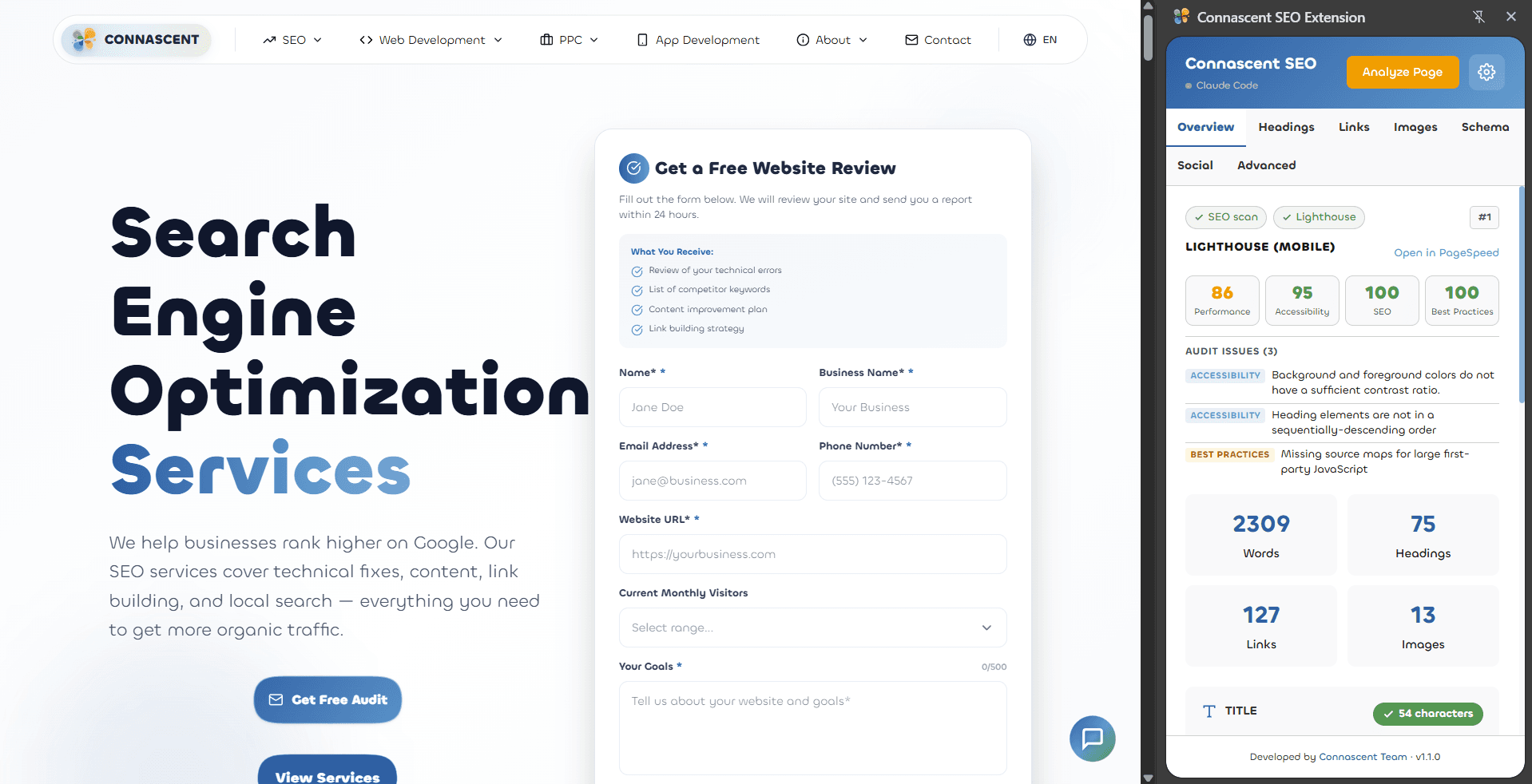
Lighthouse & Core Web Vitals
Run Lighthouse audits and measure Core Web Vitals (LCP, CLS, INP) directly from the extension. See real performance, accessibility, and SEO scores without leaving the page.
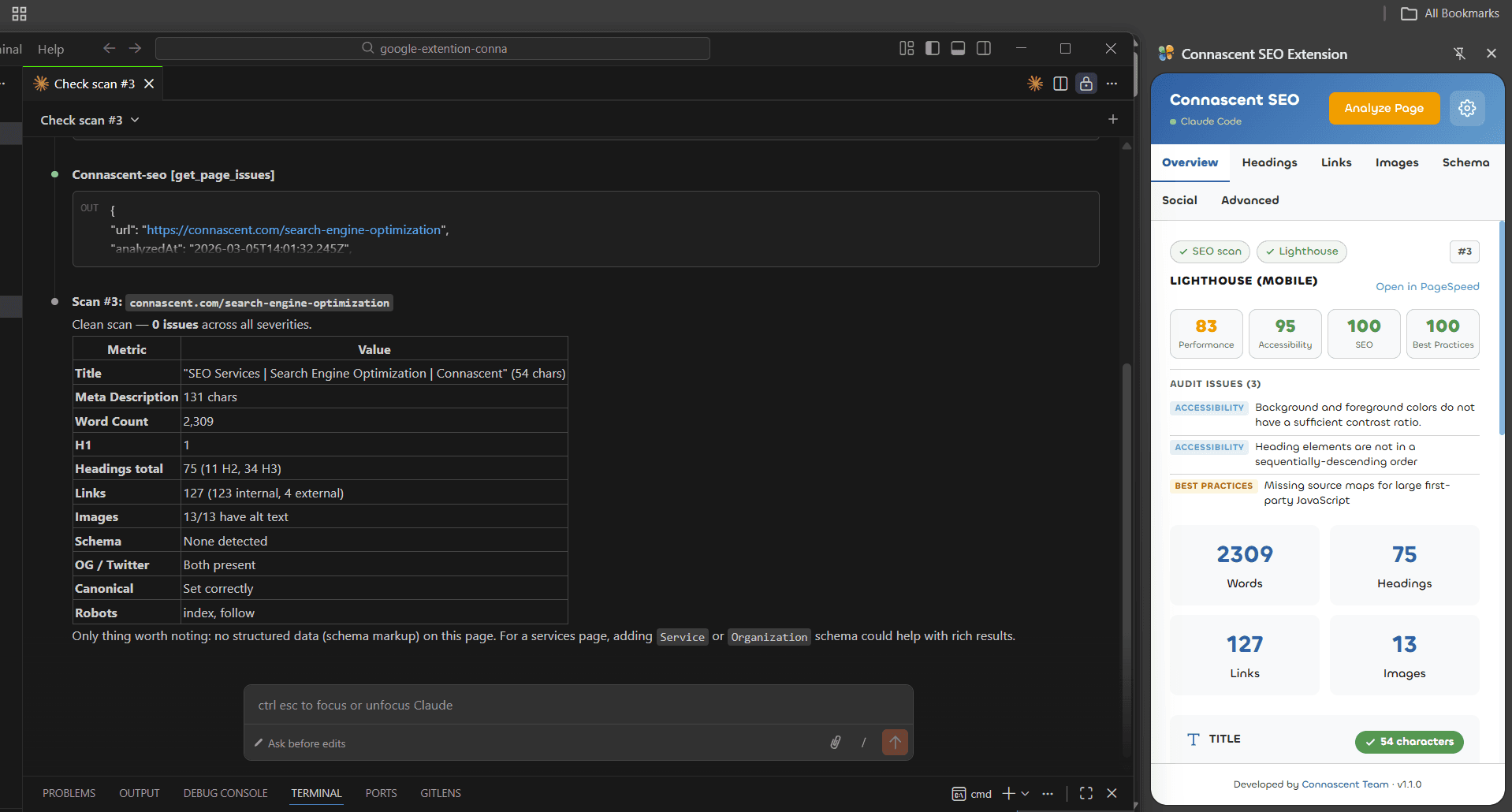
Built-in MCP Bridge for AI IDEs
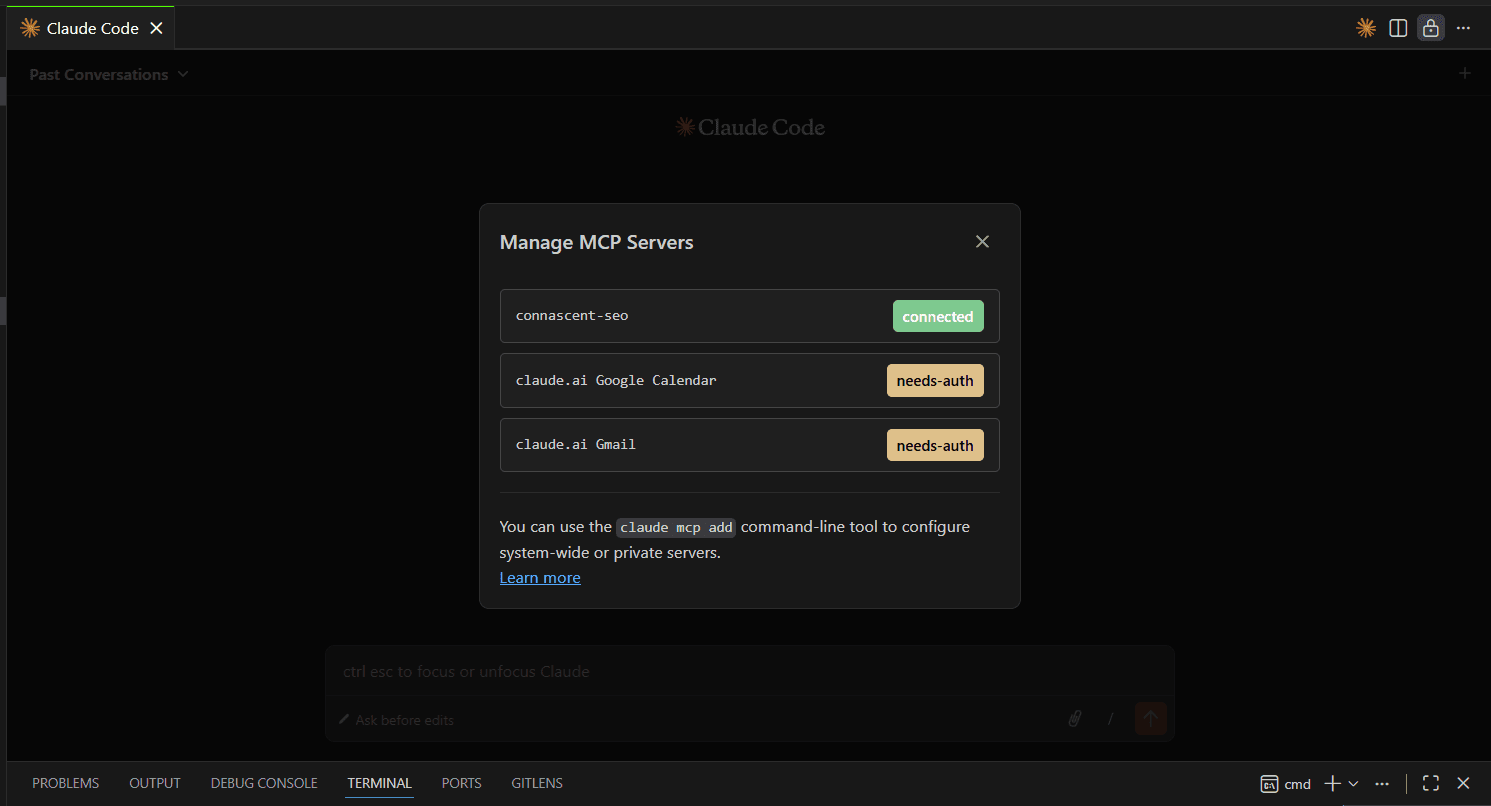
Connect your SEO data to Claude Code, Cursor, or Windsurf via the built-in MCP server. Ask natural-language questions about any page's SEO and get instant, context-aware answers.
Privacy-First Architecture
Analysis runs in your browser. Lighthouse scores come from Google's PageSpeed Insights API, and the MCP bridge runs on your own computer. No account needed.
Explore Every Analysis Tab
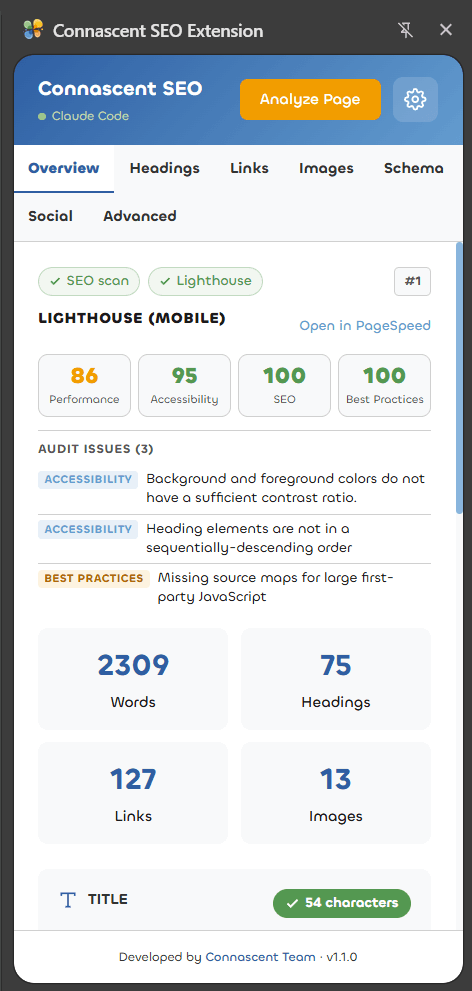
See exactly what Connascent SEO looks like in action. Each tab gives you deep insights into a different aspect of on-page SEO.
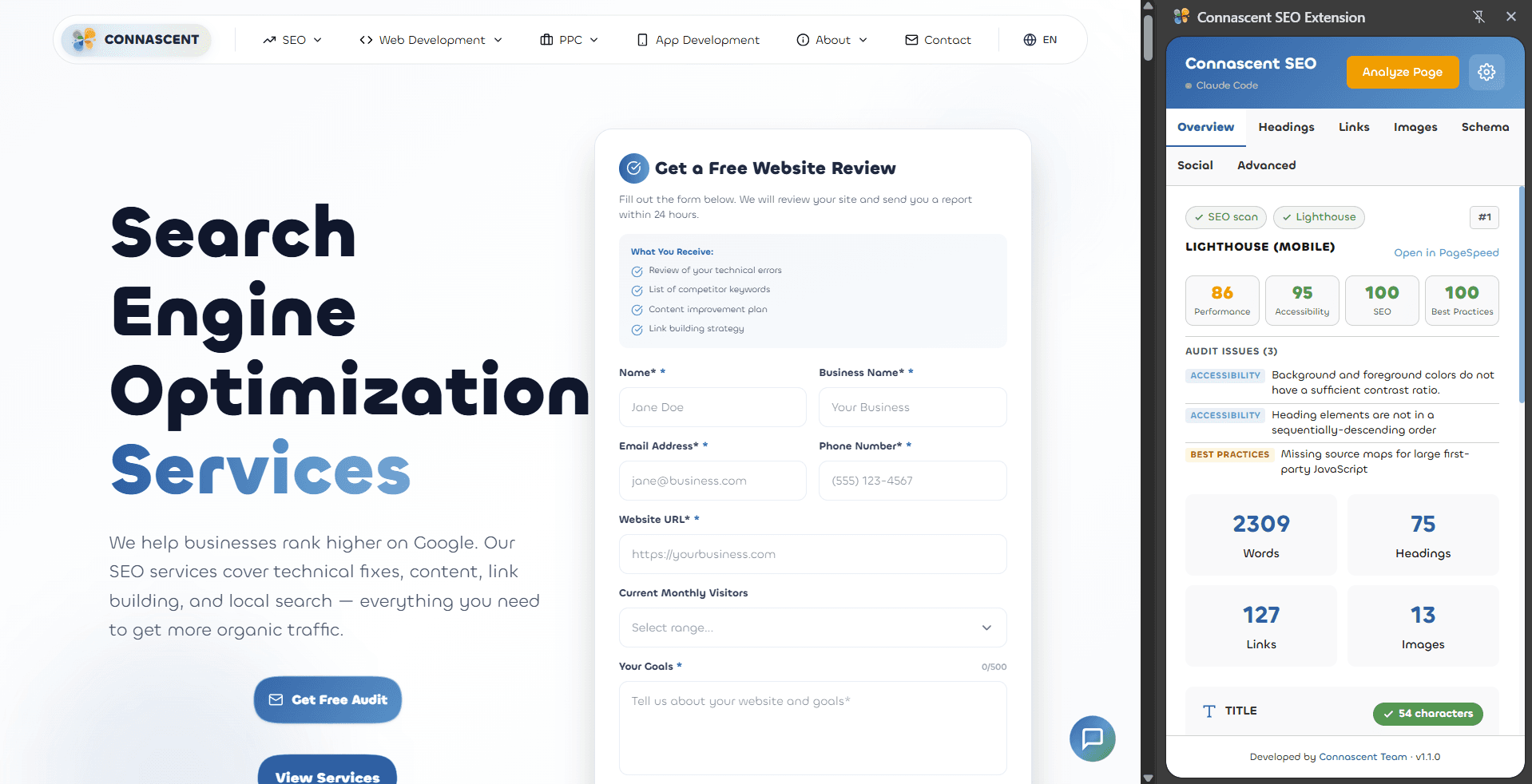
Overview — Lighthouse scores, audit issues & page stats at a glance
Get Started in Under a Minute
No configuration needed. Open a page, click a button and get a full SEO breakdown.
Get the extension
Connascent SEO is not in the Chrome Web Store yet: write to us to get it. It is built for Google Chrome and needs no account or API key.
Open Any Webpage
Navigate to any page you want to analyze. The extension works on any public website — blogs, landing pages, e-commerce stores, competitor sites.
Click Analyze Page
Click the extension icon in your toolbar to open the side panel, then click “Analyze Page”. The page analysis and Lighthouse run side by side, and a progress bar shows how far they are.
Explore 7 Analysis Tabs
Browse Overview, Headings, Links, Images, Schema, Social, and Advanced tabs. Filter results, click items to scroll to them on the page, and export links or images to CSV.
Connect to Your AI IDE via MCP
Use the built-in MCP bridge to connect Connascent SEO to Claude Code, Cursor, or Windsurf. Ask SEO questions in plain English and get instant answers from live analysis data.
Install MCP Dependencies
Run 'cd mcp-server && npm install' in the extension directory. This installs the MCP SDK — the only dependency. One-time setup, takes seconds.
Configure Your IDE
Claude Code auto-detects the .mcp.json config file. For Cursor, add the server to .cursor/mcp.json. For Windsurf, add it to .windsurf/mcp.json. Restart your IDE or run /mcp to connect.
Analyze a Page in Chrome
Open any webpage and click Analyze Page. The extension silently sends SEO data to the local MCP bridge on port 27608. A green dot and your agent name appear in the extension header when connected.
Ask Questions in Plain English
In your AI IDE, ask things like 'What are the top SEO issues?', 'Give me a full audit', or 'Compare these two pages'. The AI reads live SEO data and gives context-aware recommendations.
4 MCP Tools Available
get_seo_dataFull SEO snapshot of the analyzed page
get_seo_summaryConcise summary with key metrics
get_page_issuesIssues grouped by critical / warnings / info
list_analyzed_pagesAll pages analyzed this session (up to 5)
Works with Claude Code, Cursor, Windsurf, and any MCP-compatible IDE.
AI Agent Setup Guide
Complete technical documentation for AI agents integrating with the MCP bridge — tools, data schema, configuration, and example workflows.
Read Full Setup GuideFrequently Asked Questions
Common questions about Connascent SEO Extension.
Yes, completely free with no hidden costs, no premium tiers, and no usage limits. All features are available to every user.
Want to try Connascent SEO?
It is free. Write to us at hello@connascent.com to ask about access.
Get in touch
Questions, feedback or a project in mind? Write to us.